Frozen door planograms in 3D
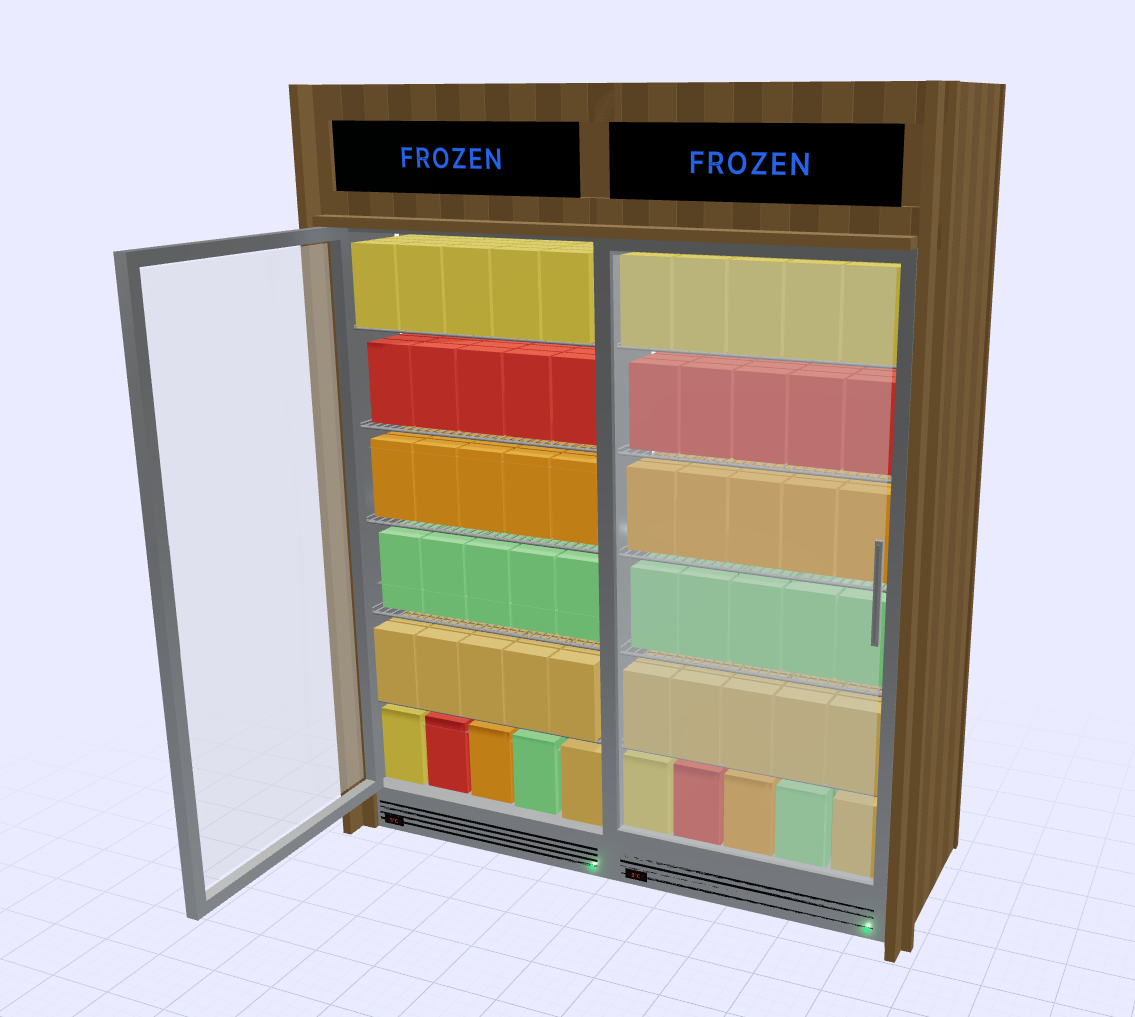
Frozen is one of the hardest places in the store to merchandise well. Packaging is mostly flat boxes and soft bags, shoppers make decisions quickly with the door open, and every inch of freezer space is expensive to run. Planogrammer lets a frozen set be built and reviewed door by door in 3D before anyone moves product in a cold case.
What makes frozen merchandising different
Frozen product is dominated by the front panel of a box. A pizza, a bowl meal and a bag of vegetables may all be similar in size but behave very differently on a shelf: boxes stand, bags slump and pints stack. Shelves in freezer doors are usually shallower and tighter than ambient shelving, so a small change in pack depth can change how many facings fit.
Shoppers also spend very little time with the door open. They scan, reach and close. That makes it important that each brand block is findable from the aisle, before the door is opened, through glass that may be partly fogged at the edges.
Seeing the set through the door
A 2D schematic treats a freezer door as an open grid. The 3D model keeps the door frame, handle and glass in place, so you can judge the set from where a shopper first sees it. That is where decisions about block order and adjacency tend to succeed or fail.
It also shows packaging problems a schematic hides. A box laid flat to save height may show only its spine. A soft bag may lean into the next facing. These are small details that matter once the set is in a store, and they are much cheaper to fix on screen.
What we deliver
A frozen engagement typically returns:
- 3D renders of each door and of the full run from the aisle
- 2D elevation images, showing shelf heights and facings
- An item list and reset spec in door order, ready for store teams
- Share-of-shelf and velocity overlays built from data you supply
Where a set spans many doors, we can show the run as a single continuous view as well as door by door, so both the category story and the shelf-level detail are covered.
Who uses frozen planograms
Frozen brands use 3D sets to make a case for placement or for more doors, showing a buyer exactly what the proposal looks like rather than describing it. Brokers representing several frozen lines use them to present a coherent door run instead of a list of separate asks. Retail teams use them to plan seasonal changeovers, such as moving from summer novelties to holiday desserts, and to check that the new set fits the existing doors.
The common thread is that everyone can review the same picture, which shortens the back-and-forth that usually follows a paper schematic.
Getting started
GOODS delivers frozen planograms as part of consulting engagements rather than as a software licence. Share the door configuration, the item list with pack dimensions and any artwork you have, and we build the set. If artwork isn't available we can use accurate placeholders sized to the pack so the layout can still be judged.
Frequently asked questions
- Do you need product images to build a frozen set?
- Real artwork gives the best result, but we can work from pack dimensions with placeholders and swap in artwork when it arrives.
- Can you show a whole frozen aisle, not just one door?
- Yes. Doors are built as a run, so we can render the whole aisle or zoom in to a single door and shelf.
- How are bags and soft packs handled?
- Bags are modelled with their own shapes rather than as boxes, so you can see how they sit and lean on the shelf.
- Is this a subscription tool?
- No. Planogrammer is used by GOODS consultants inside planogramming engagements. It isn't sold as self-serve software.
Related
Talk to us about a project
Planogrammer is delivered inside GOODS consulting engagements, not sold as self-serve software.
Talk to us about a project