3D planograms for beverage coolers and reach-in doors
A beverage cooler is a set of shelves behind glass, and that glass changes everything. Door frames cut across the shopper's view, shelf space is fixed by the unit, and the product itself is cold, reflective and tightly packed. Planogrammer builds each door, mullion and shelf as a real fixture so a cooler set can be reviewed the way a shopper will meet it: standing in the aisle, looking through the door.
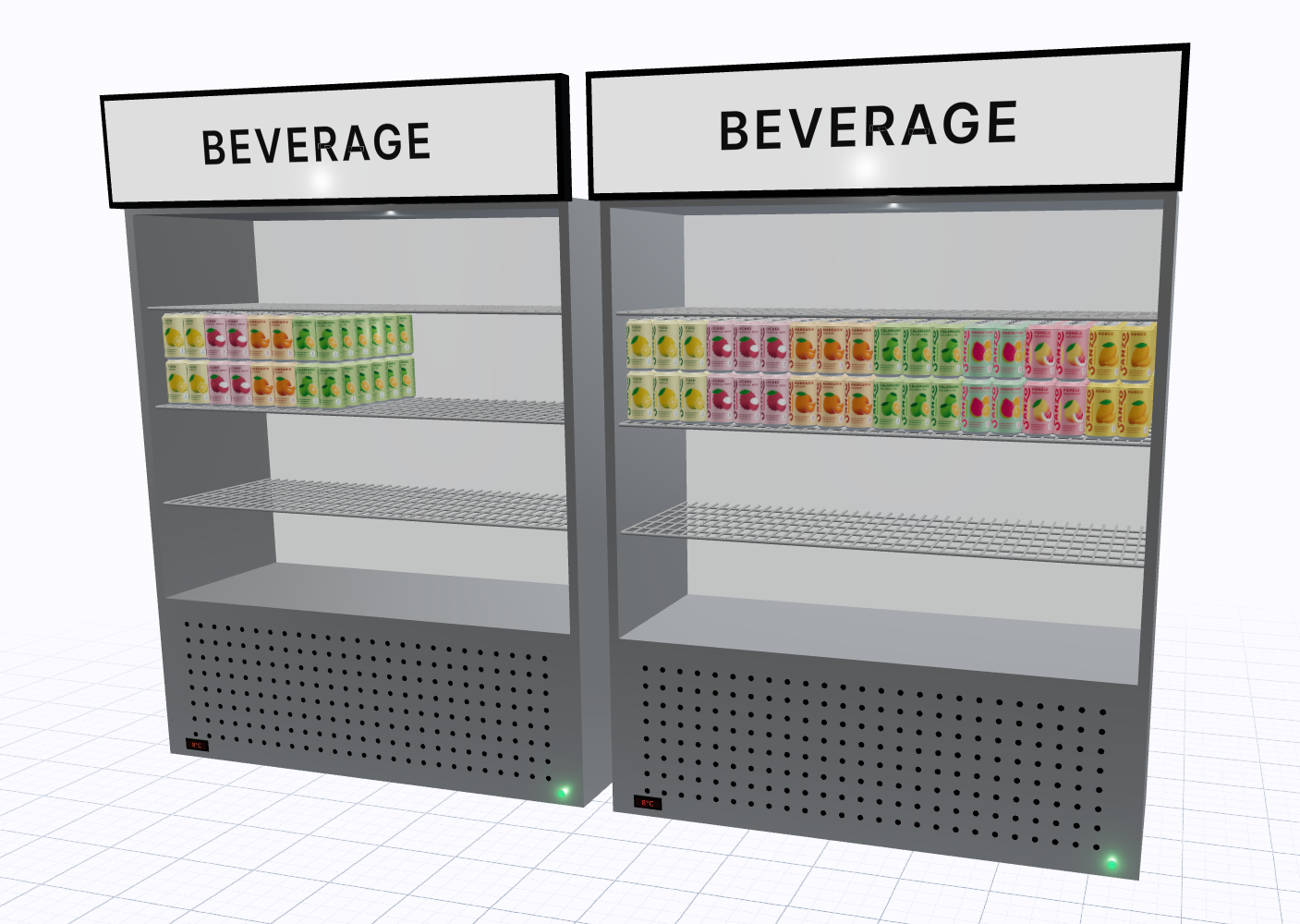
What makes cooler merchandising different
On an open shelf, every facing competes on equal terms. In a cooler, the frame between doors hides part of the set, and the handle side of each door opens first. Shelf pitch is limited by the unit, so tall bottles, multipacks and single-serve cans have to share space the fixture was not always designed for.
Temperature adds another constraint. Items that need to stay cold cannot spill onto an ambient endcap to solve a capacity problem, so every decision about what fits is a decision about what gets listed. Lighting inside the case usually runs in vertical strips at the door frame, which means the product nearest the frame is brightest and the centre of a door can read darker than expected.
What a 3D planogram shows that a 2D schematic doesn't
A flat schematic draws each door as a clean rectangle. It cannot show that a brand block landing across a mullion will be split in two from the aisle, or that a row of short cans on a high shelf disappears behind the door rail at eye level.
In 3D you can stand the camera where a shopper stands and check:
- which facings are hidden or cut by door frames
- whether a brand block reads as one block across two doors
- how tall items sit against the shelf above and the door glass
- how the set looks with doors closed, which is how most shoppers first see it
What we deliver
Each cooler engagement produces a set of files the whole team can work from:
- 3D renders of the doors from shopper height and from an angle down the aisle
- 2D elevation images per door, showing shelf positions and facings
- An item list and reset spec so the store team knows what goes where
- Share-of-shelf and velocity overlays when you provide sales or movement data
The renders and the elevations come from the same model, so a change made to one shows up in the other. There is no second drawing to keep in sync.
Who uses cooler planograms
Brand teams use them to show a buyer exactly how a new line or a flavour extension would sit in the door, and what it would displace. Brokers use them to walk several brands through one proposed set so the conversation stays on the whole category. Retail category managers use them to compare a current set against a proposed reset before committing store labour to it.
Because the output is visual, it travels well. People who never open a schematic will still look at a render and point at what they don't like, which tends to surface problems earlier.
How an engagement works
Planogrammer is not self-serve software. It is the tool GOODS consultants use inside planogramming engagements. You tell us about the fixture, the item list and the question you are trying to answer, and we build the doors, place the product and send back renders and 2D elevations for review. Revisions happen in the same model, so the second round is faster than the first.
Frequently asked questions
- Can you model a specific cooler unit?
- Yes. Send us the door count, interior dimensions and shelf configuration, or photos of the unit, and we build the fixture to match before placing any product.
- Do the renders include the door glass and frames?
- Yes. Doors, frames and handles are part of the model, so the render shows the same obstructions a shopper sees from the aisle.
- Can you show velocity on a cooler set?
- If you provide point-of-sale or movement data, we can colour the set by velocity. Without real data we do not show estimates.
- Do I get a flat 2D view as well as renders?
- Yes. Each door gets a 2D elevation with facings and shelf positions, drawn from the same model as the renders.
Related
Talk to us about a project
Planogrammer is delivered inside GOODS consulting engagements, not sold as self-serve software.
Talk to us about a project